Choosing a Golf App for Your Club in France
Choosing software starts with your club's daily work. Which tasks take too long? Where do members lose track of information? What does the coaching team need before the next lesson?
Use those questions to build a demo checklist. Ask each supplier to show the actual workflow using a realistic example. A feature name on a pricing page is not enough to establish that it fits your club.
Start with the member experience
Try the app on a phone. Check sign-in, finding club information and the actions your members use most. If you need French-language support, review the screens, messages and support process in French during the demo. Do not assume a translated homepage means every product flow is translated.
Include both a new member and a staff member in testing. Their access and expectations will differ.
Check how coaching connects to practice
A booking is only one part of a coaching relationship. Ask how your team records lesson information, shares a practice focus and reviews what happened between sessions.
Explore the coaching dashboard, drill library and student progress workflows. Check which records are available to coaches and which are visible to students. Agree on who keeps the information up to date.
Review member activity with context
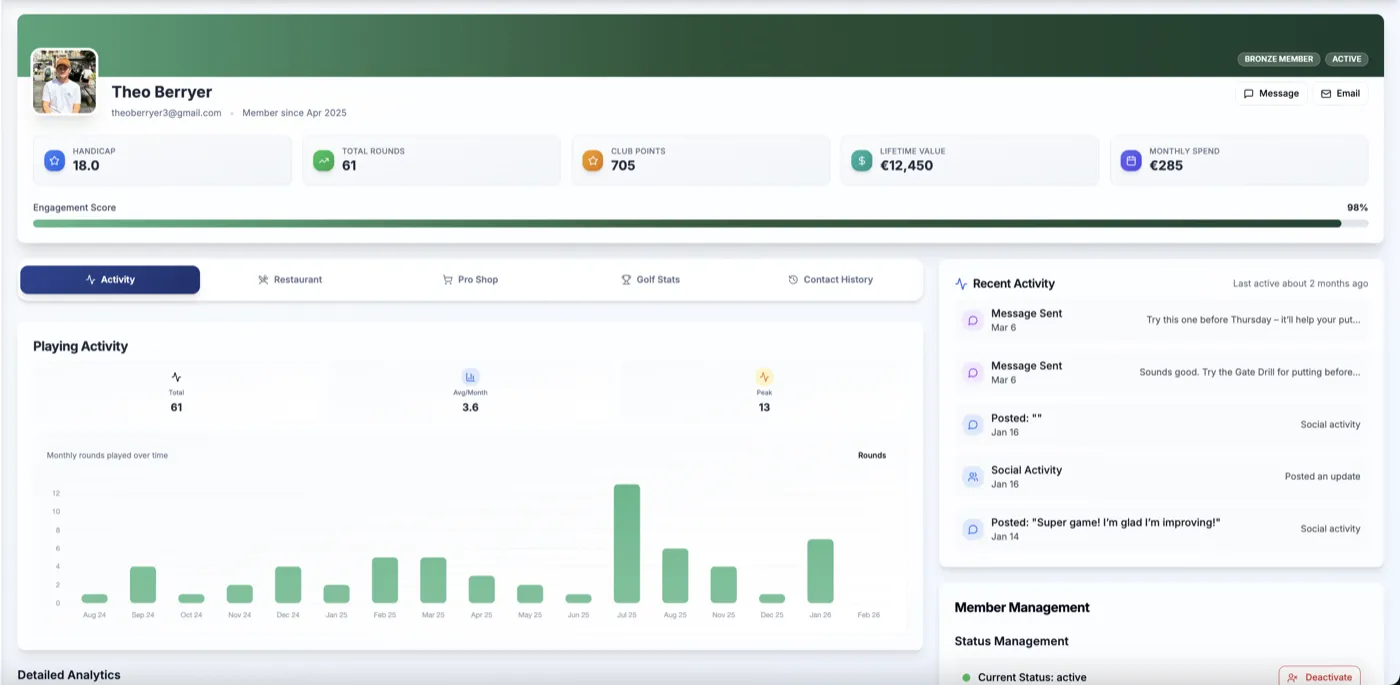
Activity records can help a team prepare a useful conversation. They do not tell you why someone has stopped visiting, and an engagement score is not a guarantee that someone will renew.
Review the member engagement view with a realistic member example. Ask where the information comes from, how recent it is and what happens when a record is missing. Then decide how your staff will use it alongside their own knowledge of members.
Test club communications
For club community tools, check who can join a channel, post a message and read an announcement. Test notification preferences on the devices your members use. A notification being configured does not establish that every phone will display it.
Make sure staff understand how to correct or remove information and where members can get help.
Check the boundaries between systems
List the systems you already use for bookings, competitions, membership and payments. Ask the supplier to demonstrate each integration you depend on. Confirm what is transferred, how often it updates and who handles a failed transfer.
Do the same for federation or handicap requirements. Ask for evidence of the specific connection your club needs; do not infer it from a general claim of compatibility.
Agree on access, exports and support
Before committing, review role permissions, the data you plan to import, available exports and the support arrangement. Test with a small, agreed group first. Record the workflows that passed and those that still need attention.
A short demo checklist
- A member signs in and finds the information they need on a phone.
- A coach reviews a student record and explains the next practice focus.
- Club staff check member activity without seeing information outside their role.
- A club announcement is tested with the recipient's actual notification settings.
- Required integrations and export formats are demonstrated.
- Your team understands setup responsibilities, support and pricing.
Strokone brings player, coaching and club workflows into one platform. Request a demo to check the current capabilities against your own club's checklist.
How digitally ready is your club?
Take our 3-minute Digital Readiness Scorecard and get a personalized PDF report with actionable recommendations.
Thanks for Reading!
Want to learn more about golf club management?